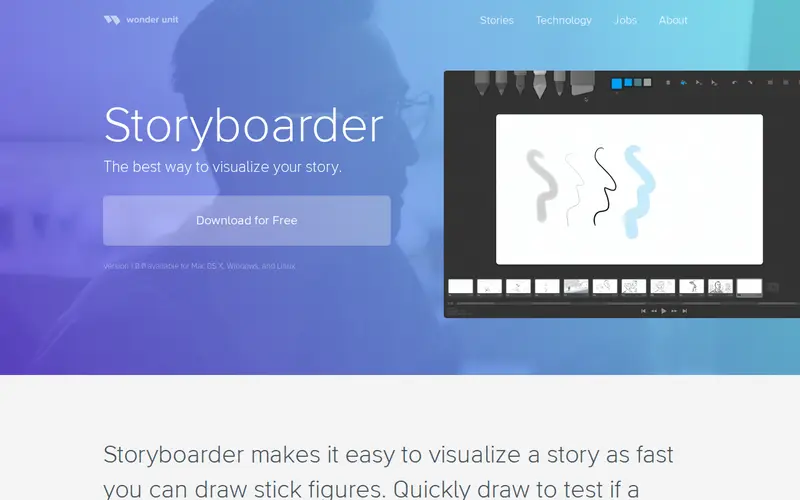
StoryBoarder is a free desktop application (available for macOS and Windows) that simplifies the process of creating visual storyboards. Developed by a solo indie developer, it allows users to quickly sketch out scenes, add dialogue and notes, and arrange them into a sequence. It includes basic drawing tools, the ability to import images, and a drag-and-drop interface for easy reordering. This tool is ideal for filmmakers, animators, comic artists, and anyone who needs to plan visual narratives.
Editorial check
How this page is checked
Source trail
wonderunit.com
External links are separated from Surfaced commentary.
Reader safety
Context before clicks
Product links and external services are not presented as guarantees.
Monetization
No affiliate flag
Ads and commerce links are kept distinct from editorial text.
Surfaced take
Why It’s Useful
Many professional storyboarding tools are complex and expensive, or rely on clunky interfaces. StoryBoarder strikes a perfect balance by being incredibly intuitive and free. Its strength lies in its speed and simplicity, allowing users to get ideas down visually without getting bogged down in technicalities. For aspiring filmmakers or indie game developers, it democratizes the visual planning stage. The ability to quickly iterate on scene ideas, experiment with camera angles through simple drawings, and integrate rough dialogue makes it a powerful pre-production asset. It’s the digital equivalent of a notebook and pencil for visual thinkers, but with added organizational benefits.
In everyday life
When you’d actually reach for this
You're planning a weekend getaway with friends and want to visualize the different activities and timings. Or perhaps you're trying to explain a complex idea to your team using simple visuals before a big meeting. You might also use it to map out the steps for a new project before handing off to a colleague.







Enjoyed this? Get five picks like this every morning.
Free daily newsletter — zero spam, unsubscribe anytime.