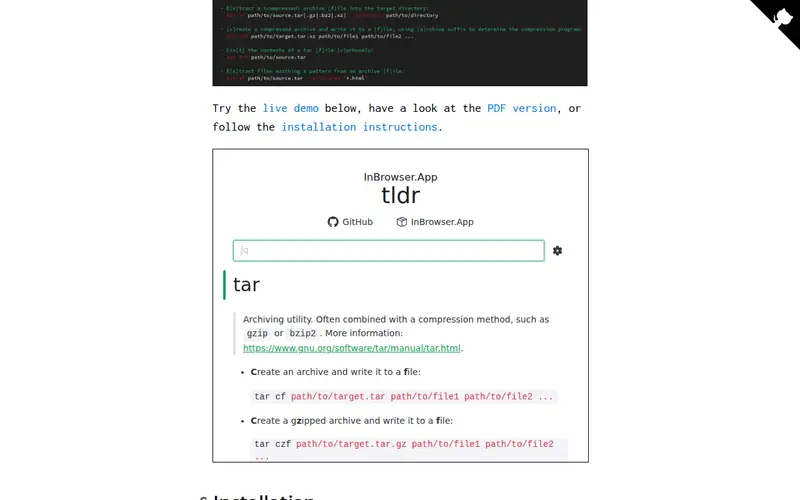
TLDR Pages is an open-source, community-driven project that offers concise, practical, and human-readable summaries of common command-line tools. It serves as a valuable supplement to traditional man pages, focusing on everyday use cases and providing clear, actionable examples. Unlike the comprehensive and often dense documentation found in man pages, TLDR Pages prioritizes speed and accessibility. The project's collaborative nature ensures that the information remains relevant and up-to-date with current command-line practices, making it a readily available and free resource for all users.
Editorial check
How this page is checked
Source trail
tldr.sh
External links are separated from Surfaced commentary.
Reader safety
Context before clicks
Product links and external services are not presented as guarantees.
Monetization
No affiliate flag
Ads and commerce links are kept distinct from editorial text.
Surfaced take
Why It’s Useful
For anyone working extensively with the command line, TLDR Pages offers a significant efficiency boost. Developers, system administrators, and even new users can quickly find the information they need without navigating complex, technical manuals. The tool excels at providing straightforward examples of command usage, which is particularly helpful when learning new commands or recalling specific syntax for frequently used tools. By cutting through the verbosity of traditional documentation, TLDR Pages allows users to spend less time searching for information and more time executing tasks. Its community-powered updates mean that users are consistently getting practical, relevant advice, making it an indispensable asset for streamlining terminal workflows and enhancing productivity.
In everyday life
When you’d actually reach for this
When you need to quickly remember how to use a command like `tar` or `grep` without wading through pages of options, you'd open your terminal and type `tldr tar`. It's perfect for those moments you just need a functional example to get a task done.







Enjoyed this? Get five picks like this every morning.
Free daily newsletter — zero spam, unsubscribe anytime.