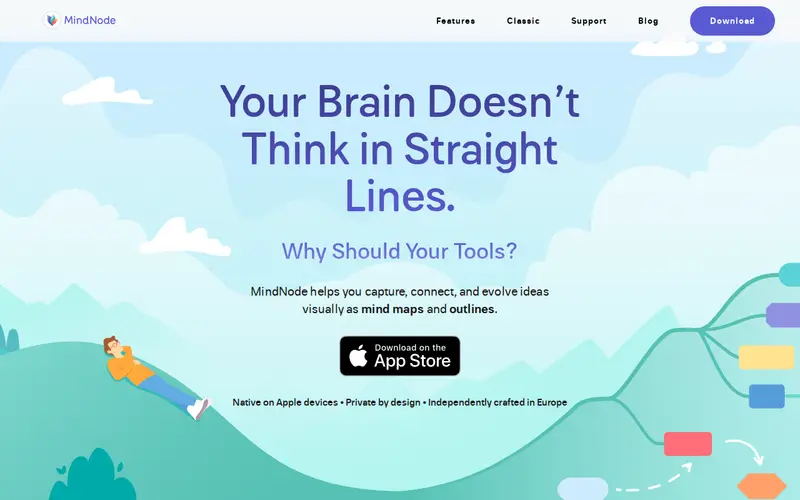
MindNode is a powerful and beautifully designed mind-mapping application for macOS and iOS. It allows users to visually brainstorm, organize, and structure their thoughts and ideas. The app provides a flexible canvas where you can create nodes, connect them with lines, add notes, images, and tasks, and export your mind maps in various formats. MindNode offers a freemium experience with core functionality available for free, and a subscription unlocking advanced features like cross-device syncing and expanded export options.
Editorial check
How this page is checked
Source trail
mindnode.com
External links are separated from Surfaced commentary.
Reader safety
Context before clicks
Product links and external services are not presented as guarantees.
Monetization
No affiliate flag
Ads and commerce links are kept distinct from editorial text.
Surfaced take
Why It’s Useful
For anyone who processes information visually or needs to untangle complex projects, MindNode is an indispensable tool. Its intuitive interface makes brainstorming sessions fluid and productive, transforming scattered thoughts into clear, interconnected ideas. The ability to add tasks directly to nodes makes it a functional project management tool as well. Users appreciate its clean aesthetic, seamless syncing across Apple devices, and the various export options that allow for easy sharing and integration with other workflows. It's particularly beneficial for students, writers, researchers, and project managers who need to visualize relationships between concepts, outline complex documents, or plan intricate projects with clarity and efficiency.
In everyday life
When you’d actually reach for this
You might use it to plan out your weekly grocery list and budget, or to brainstorm ideas for a family vacation. It's also helpful for outlining a presentation or organizing research for a personal project.







Enjoyed this? Get five picks like this every morning.
Free daily newsletter — zero spam, unsubscribe anytime.