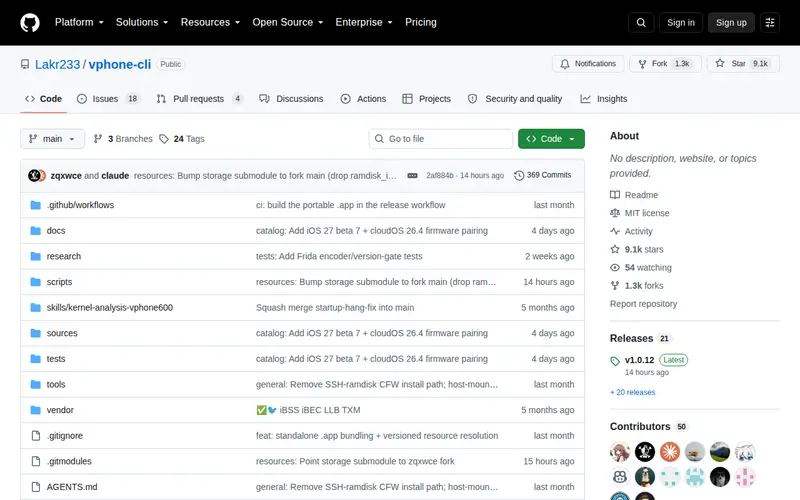
vphone-cli is a command-line utility that leverages Apple's Virtualization.framework to enable the booting of virtual iPhones directly on macOS. Designed for developers and testers, it offers a streamlined approach to running iOS simulations independent of the full Xcode simulator. This enables users to efficiently test applications, explore various iOS features, and even utilize iOS applications directly on their desktop environments.
Editorial check
How this page is checked
Source trail
github.com
External links are separated from Surfaced commentary.
Reader safety
Context before clicks
Product links and external services are not presented as guarantees.
Monetization
No affiliate flag
Ads and commerce links are kept distinct from editorial text.
Surfaced take
Why It’s Useful
For professionals engaged in iOS development or testing, vphone-cli emerges as a significant hidden gem by addressing the resource intensiveness and complexity often associated with the official Xcode simulator. It presents a notably more efficient and lightweight alternative, particularly beneficial for executing repetitive testing cycles or for seamless integration into Continuous Integration and Continuous Deployment (CI/CD) workflows. The inherent command-line interface facilitates extensive scripting capabilities, paving the way for sophisticated automated testing setups that are challenging to implement with graphical simulators. Its rapid performance and minimal resource demands are highly valued by power users seeking to quickly instantiate virtual environments for focused testing of specific functionalities or for debugging particular issues.
In everyday life
When you’d actually reach for this
When you need to quickly test an app's behavior on a specific iOS version or device configuration without the overhead of launching Xcode. You can run it from your terminal to simulate user interactions or verify UI elements before committing code.







Enjoyed this? Get five picks like this every morning.
Free daily newsletter — zero spam, unsubscribe anytime.