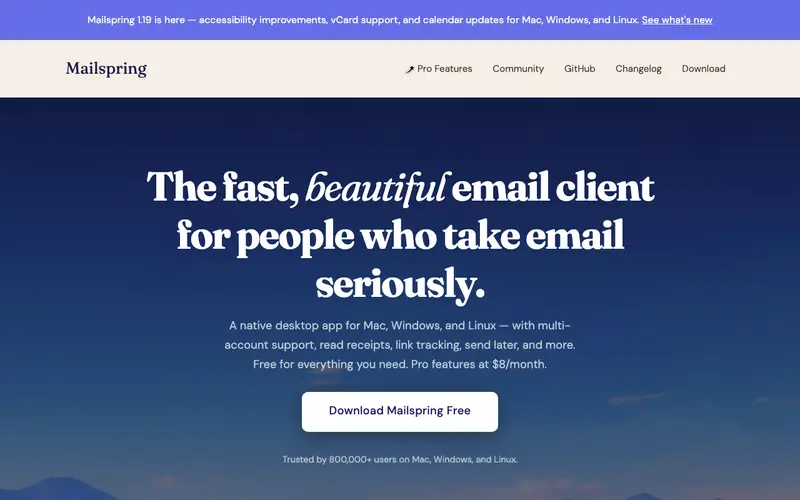
Mailspring is a fast, open-source desktop email client built by Nylas, known for its modern interface and powerful features. Its core feature includes a unified inbox, advanced search capabilities, read receipts, link tracking, and quick reply templates, all packaged in an attractive interface. It's primarily built for power users, developers, and professionals who manage multiple email accounts and desire a customizable, feature-rich desktop experience. Users typically open Mailspring as their primary email application, seeking to streamline their daily email workflow and gain insights into their email interactions. Mailspring supports all major email providers including Gmail, Office 365, iCloud, Yahoo!, and any IMAP/SMTP server, and runs on Windows, macOS, and Linux.
Editorial check
How this page is checked
Source trail
getmailspring.com
External links are separated from Surfaced commentary.
Reader safety
Context before clicks
Product links and external services are not presented as guarantees.
Monetization
No affiliate flag
Ads and commerce links are kept distinct from editorial text.
Surfaced take
Why It’s Useful
It offers a superior, more customizable alternative to default mail clients like Apple Mail or Thunderbird, providing integrated features like read receipts and link tracking usually found in paid services. Its open-source nature provides transparency not found in proprietary clients. For the sales professional, Mailspring's built-in read receipts and link tracking allow them to gauge engagement with their outreach emails, helping them time follow-ups more effectively. For the developer managing multiple side projects and their day job, the unified inbox and advanced search across all accounts save significant time, allowing them to quickly find specific project-related communications. Mailspring offers a free, fully functional core client, with a "Pro" subscription unlocking advanced features like snooze, send later, and customizable signatures. A lesser-known feature is its robust "Translate" button for incoming emails, which seamlessly translates messages from over 60 languages directly within the client. Despite being open-source and feature-rich, it's not more popular due to strong competition from proprietary clients like Spark and Superhuman, and its development pace has sometimes been inconsistent. It has an active GitHub community for bug reports and feature requests, with contributions from developers, though core updates from the main team can vary.





Enjoyed this? Get five picks like this every morning.
Free daily newsletter — zero spam, unsubscribe anytime.