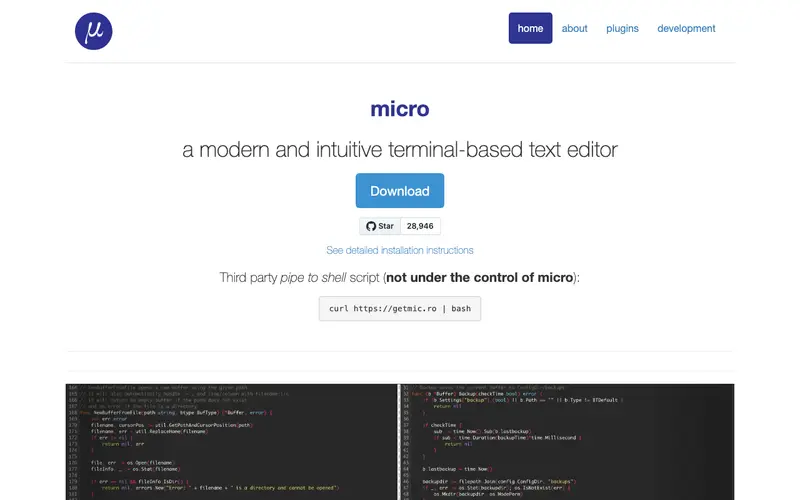
micro is a modern, cross-platform terminal-based text editor developed by Zachary Walker. It offers a familiar graphical editor experience directly within your command line, complete with mouse support, syntax highlighting, and multiple cursors. The primary user for micro is any developer, sysadmin, or casual user who prefers to edit files directly in the terminal but finds traditional CLI editors like Vi/Vim or Emacs too steep in their learning curve. You'd open micro when you need to quickly edit a configuration file, a script, or any text document without leaving your terminal environment. It works across various operating systems including Linux, macOS, and Windows, and supports a plugin system for extended functionality.
Editorial check
How this page is checked
Source trail
micro-editor.github.io
External links are separated from Surfaced commentary.
Reader safety
Context before clicks
Product links and external services are not presented as guarantees.
Monetization
No affiliate flag
Ads and commerce links are kept distinct from editorial text.
Surfaced take
Why It’s Useful
micro offers a significantly more user-friendly alternative to `nano` or the more complex `Vim` for quick terminal edits. For the developer who frequently SSHs into remote servers and needs to modify files without setting up a full IDE, micro provides a lightweight yet powerful solution. It's also great for a casual Linux user who wants a simple, intuitive editor for shell scripts or config files, avoiding the steep learning curve of Vim. The tool is entirely free and open-source, maintained by a community. A hidden gem is its built-in plugin manager, allowing installation of linters, file explorers, and more directly from within the editor via `> plugin install`. Its lack of popularity stems from being a relatively newer entrant in a space dominated by established editors, despite its excellent modern features. It has an active GitHub community and receives regular updates.
In everyday life
When you’d actually reach for this
You need to quickly update a configuration file on a remote server without leaving your SSH session. You want to jot down notes for a project while on the go, without opening a full graphical editor. You're reviewing a set of configuration files for a team project and need to make parallel edits.







Enjoyed this? Get five picks like this every morning.
Free daily newsletter — zero spam, unsubscribe anytime.