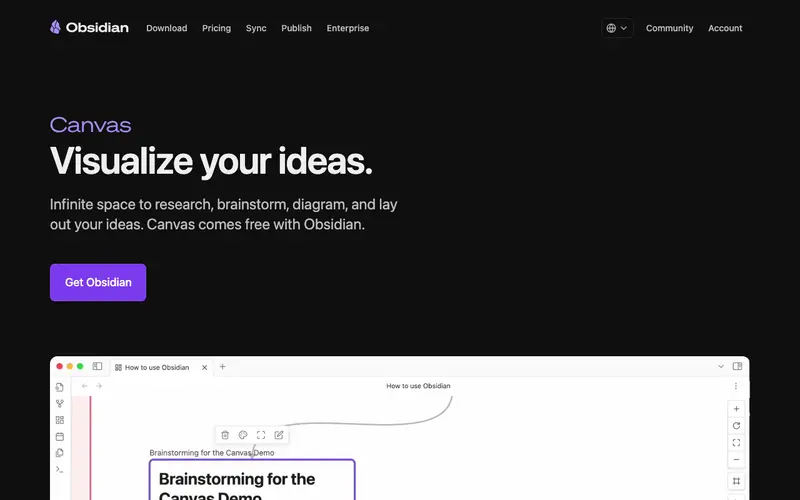
Obsidian Canvas is a core feature within the Obsidian knowledge management tool, developed by Dynalist Inc., offering a free-form visual workspace for connecting notes, media, and ideas. It functions as an infinite canvas where users can drag and drop existing Obsidian notes, embed web links, images, PDFs, and even create new text cards, arranging them spatially. The primary workflow involves visually linking disparate pieces of information, brainstorming new connections, and creating spatial layouts that reflect complex thought processes. It is available as part of the Obsidian desktop application for Windows, Mac, and Linux, with mobile apps for iOS and Android, ensuring local-first access to your knowledge base. Its most used feature is the seamless integration with existing Obsidian notes, allowing users to visually navigate and build upon their personal knowledge graph. All data is stored locally on your device in plain text Markdown files, giving users complete ownership and control over their information.
Editorial check
How this page is checked
Source trail
obsidian.md
External links are separated from Surfaced commentary.
Reader safety
Context before clicks
Product links and external services are not presented as guarantees.
Monetization
No affiliate flag
Ads and commerce links are kept distinct from editorial text.
Surfaced take
Why It’s Useful
Obsidian Canvas eliminates the rigidity of linear note-taking, providing a fluid, non-hierarchical space to explore ideas and see relationships. For the academic researcher synthesizing a large body of literature, Canvas enables them to visually connect different papers, concepts, and arguments, forming a holistic understanding. For the creative writer developing a novel, it serves as an excellent tool for mapping character relationships, plot lines, and thematic elements, seeing the whole story at a glance. Obsidian itself is free for personal use, including Canvas, making it an incredibly powerful and genuinely useful tool for knowledge workers. Compared to online collaborative whiteboards, Obsidian Canvas wins with its deep integration into a local-first, plain-text knowledge base, offering unparalleled privacy and longevity of data. A power feature is the ability to nest canvases within other canvases, creating hierarchical visual structures for incredibly complex projects. The learning curve is moderate; while basic card placement is simple, leveraging its full potential with existing Obsidian notes and links requires some familiarity with Obsidian's ecosystem.






Enjoyed this? Get five picks like this every morning.
Free daily newsletter — zero spam, unsubscribe anytime.