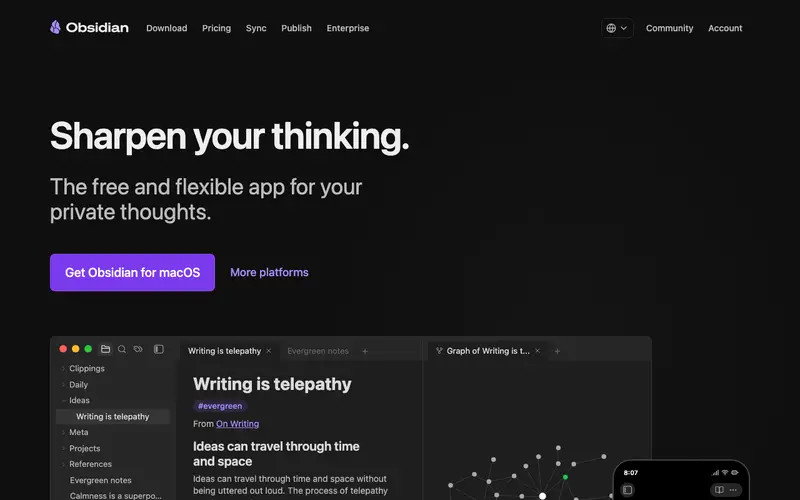
Obsidian is a powerful local-first knowledge base application developed by Dynalist Inc., designed for building a personal "second brain" using plain text Markdown files. It allows users to create a network of interconnected notes, fostering organic thought development through bi-directional linking. The primary workflow involves writing notes, linking them using [[wikilinks]], and exploring connections via the interactive graph view. It runs on Windows, Mac, Linux, iOS, and Android, and integrates with existing file systems. Its most used feature is the graph view, which visually represents the connections between your notes. Data is stored locally as Markdown files, offering ultimate control and future-proofing, with optional cloud sync via services like Dropbox or iCloud.
Editorial check
How this page is checked
Source trail
obsidian.md
External links are separated from Surfaced commentary.
Reader safety
Context before clicks
Product links and external services are not presented as guarantees.
Monetization
No affiliate flag
Ads and commerce links are kept distinct from editorial text.
Surfaced take
Why It’s Useful
Obsidian eliminates the problem of siloed information and rigid note structures, allowing knowledge to grow organically. For the academic researcher, it enables mapping complex concepts and papers, revealing previously unseen connections between disparate fields. For the creative writer, it's a dynamic canvas for outlining plots, developing characters, and exploring themes in a non-linear fashion. The free tier offers full desktop and mobile app functionality, which is genuinely useful and robust for individual use. Unlike web-based tools like Notion, Obsidian stores all data locally, giving users complete ownership and offline access, making it superior for privacy and long-term archival. The "Daily Notes" core plugin, combined with templates, is a power feature that separates advanced users, allowing for structured journaling and quick capture. A non-technical person can set up Obsidian in under 5 minutes, though mastering its plugins and advanced linking takes time.
In everyday life
When you’d actually reach for this
You're planning a group trip and need to collect everyone's ideas and booking details in one place. You're also trying to finally organize those articles you saved last week and want to connect them to your existing research. When you need to remember the steps for a recurring task, you can quickly jot them down and link them to related projects.






Enjoyed this? Get five picks like this every morning.
Free daily newsletter — zero spam, unsubscribe anytime.