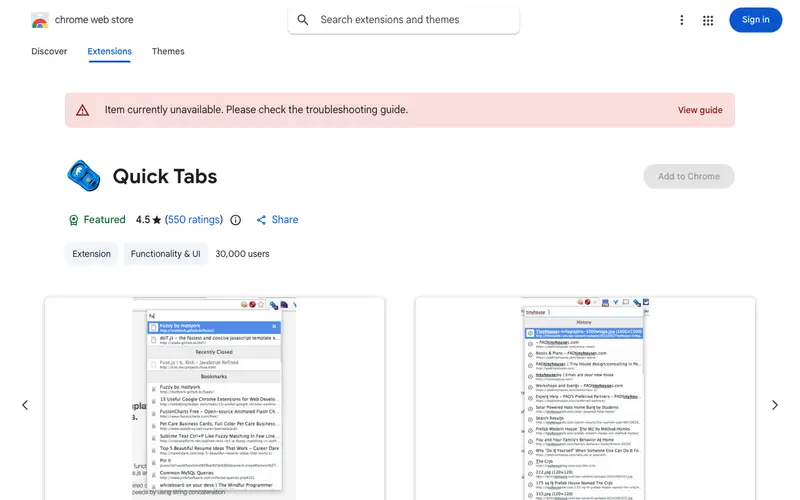
Quick Tab Search is a simple yet powerful open-source browser extension developed by 'Ben Dougherty'. Its core feature provides an extremely fast, fuzzy-search interface to find and switch to any open tab by typing just a few characters. This tool is primarily built for users who frequently have many tabs open and struggle to quickly locate a specific one amidst the clutter. It fits into a workflow whenever a user needs to switch between many tabs, often triggered by a keyboard shortcut, allowing them to instantly jump to the desired tab without visually scanning the tab bar. Quick Tab Search integrates seamlessly into the browser's functionality and indexes all open tabs across all windows.
Editorial check
How this page is checked
Source trail
chrome.google.com
External links are separated from Surfaced commentary.
Reader safety
Context before clicks
Product links and external services are not presented as guarantees.
Monetization
No affiliate flag
Ads and commerce links are kept distinct from editorial text.
Surfaced take
Why It’s Useful
Quick Tab Search significantly outperforms native browser tab search functions or manual tab clicking by offering instant, fuzzy-matched results across all windows, making it far superior for tab navigation efficiency. For the software developer with dozens of documentation, IDE, and testing tabs, it provides a lightning-fast way to jump to the exact resource they need without breaking their flow. For the project manager juggling multiple client projects, each with its own set of tabs, it allows them to instantly pull up the relevant workspace and context. It is entirely free and open-source, offering its full feature set without any cost. A useful feature often discovered later is its ability to also search your browser history and bookmarks, extending its utility beyond just open tabs. It's not more popular because many users are simply accustomed to the less efficient methods of tab switching and don't realize the massive time-saving potential of a dedicated, optimized search. The project is actively maintained on GitHub and receives regular updates.
In everyday life
When you’d actually reach for this
You need to quickly find that recipe tab you opened for Sunday dinner while juggling a grocery list. When planning a group trip, you can instantly switch to the accommodation tab buried under a dozen others. You're about to hand over your work before vacation and need to locate that important article you bookmarked.





Enjoyed this? Get five picks like this every morning.
Free daily newsletter — zero spam, unsubscribe anytime.