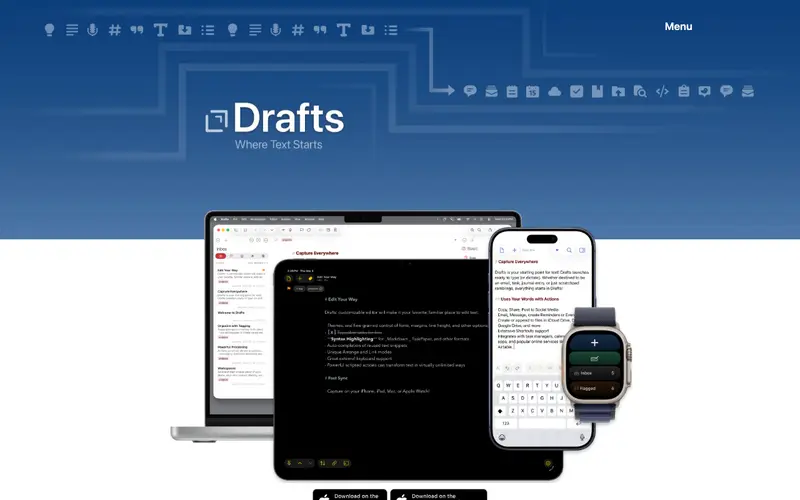
Drafts, developed by Agile Tortoise, is a lightning-fast text capture application designed to be the starting point for all your text-based ideas and tasks. It prioritizes quick capture, immediately presenting a blank slate upon opening, allowing users to jot down thoughts without delay. The primary workflow involves quickly typing text into a new draft, then using customizable "Actions" to process that text—sending it to an email, saving to a note app, creating a calendar event, or posting to social media. It is available exclusively on Apple platforms: iOS, iPadOS, macOS, and watchOS, with seamless synchronization across devices. Data is stored locally and securely, with optional iCloud synchronization to keep all your drafts up-to-date across your Apple ecosystem.
Editorial check
How this page is checked
Source trail
getdrafts.com
External links are separated from Surfaced commentary.
Reader safety
Context before clicks
Product links and external services are not presented as guarantees.
Monetization
No affiliate flag
Ads and commerce links are kept distinct from editorial text.
Surfaced take
Why It’s Useful
Drafts eliminates the friction of deciding where to put a new piece of text, ensuring no idea is lost due to organizational overhead. For a busy professional, it's invaluable for quickly capturing meeting notes, to-dos, or spontaneous ideas, which can then be processed into their respective apps later. A writer can use it to quickly jot down story ideas, character names, or dialogue snippets, then send them to their preferred writing environment with a single tap. Drafts offers a robust free tier with core functionality and most actions, which is genuinely useful for everyday capture, with a Pro subscription unlocking advanced features and customization. It excels over generic note apps by focusing solely on text capture and offering unparalleled flexibility in processing that text, making it a true "inbox for text." The ability to script custom JavaScript actions for complex integrations is a power feature for advanced users. A non-technical person can download and start capturing text in seconds, with basic actions being intuitive to use.







Enjoyed this? Get five picks like this every morning.
Free daily newsletter — zero spam, unsubscribe anytime.