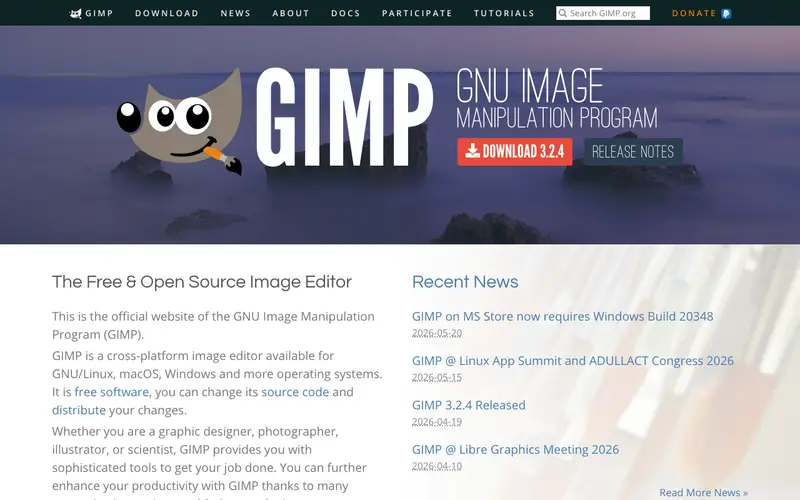
GIMP is a free and open-source raster graphics editor developed by a community of volunteers under the GNU Project. It provides a sophisticated suite of tools for image manipulation, photo retouching, image composition, and image authoring. The primary user base ranges from graphic designers and photographers to illustrators and scientists who need powerful image processing capabilities without proprietary software costs. Users typically open GIMP when they need to edit a photo, create a new graphic from scratch, or convert image formats. It supports a wide array of file formats and can be extended with numerous plugins, running on GNU/Linux, macOS, and Microsoft Windows.
Editorial check
How this page is checked
Source trail
gimp.org
External links are separated from Surfaced commentary.
Reader safety
Context before clicks
Product links and external services are not presented as guarantees.
Monetization
No affiliate flag
Ads and commerce links are kept distinct from editorial text.
Surfaced take
Why It’s Useful
GIMP serves as a robust open-source alternative to Adobe Photoshop, offering comparable power for many professional tasks without any subscription fees. For the amateur photographer, GIMP is perfect for basic color correction, cropping, and removing blemishes from personal photos, allowing them to achieve professional-looking results without investing in expensive software. For the indie game developer, it's invaluable for creating pixel art, textures, and UI elements, enabling rapid iteration and customization within a tight budget. GIMP is entirely free and open-source, maintained by a dedicated community. A hidden gem feature is its powerful scripting capabilities (Script-Fu, Python-Fu), which allow users to automate complex image processing tasks or create custom tools, often overlooked by new users. It's not more popular mainly due to the entrenched market position of Photoshop and a steeper learning curve for those accustomed to commercial interfaces, but its vibrant community provides extensive tutorials and plugins, with frequent updates.
In everyday life
When you’d actually reach for this
You might use GIMP to resize a photo for a social media post or to clean up a scanned document before sharing it. It's also helpful for making simple edits to images for a personal blog or a school project.





Enjoyed this? Get five picks like this every morning.
Free daily newsletter — zero spam, unsubscribe anytime.