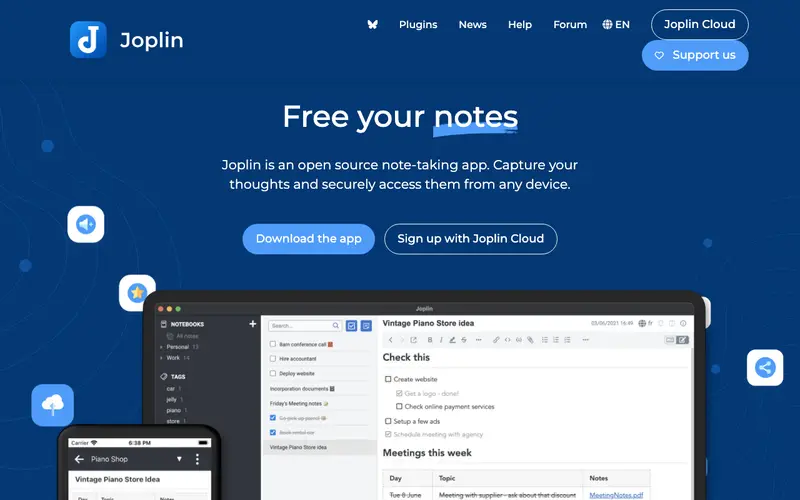
Joplin is a free, open-source note-taking and to-do application, created by Laurent Cozic, capable of handling a large number of notes organized into notebooks, making it excellent for code snippets. It supports markdown formatting with advanced features, including syntax highlighting for code blocks. The primary workflow involves creating notes, writing in markdown (including code blocks), organizing them into notebooks, and then searching through your entire knowledge base. It works on Windows, macOS, Linux, Android, iOS, and as a terminal application, offering robust cross-platform synchronization. Its most used feature is its powerful markdown editor with live preview and integrated syntax highlighting. Data is stored locally as plain text files, with synchronization options via various cloud services like Nextcloud, Dropbox, OneDrive, or WebDAV.
Editorial check
How this page is checked
Source trail
joplinapp.org
External links are separated from Surfaced commentary.
Reader safety
Context before clicks
Product links and external services are not presented as guarantees.
Monetization
No affiliate flag
Ads and commerce links are kept distinct from editorial text.
Surfaced take
Why It’s Useful
Joplin solves the problem of scattered notes and code snippets across different tools, providing a unified, privacy-focused, and highly flexible solution. For the developer who values privacy and owning their data, Joplin offers a local-first approach to storing code snippets, documentation, and project notes without relying on a proprietary cloud service. For the researcher or student, it provides an excellent way to organize research, lecture notes, and code examples in a single, searchable repository. As an open-source tool, Joplin is completely free, offering all its powerful features without any paywalls or subscriptions. It surpasses generic note apps by offering robust markdown support, end-to-end encryption, and versatile synchronization options, giving users full control over their data. A power feature is its plugin system, which allows extensive customization and integration with other tools or services. A non-technical person can easily install Joplin and start taking notes or saving snippets within 5 minutes, though advanced sync setups might require a bit more effort.
In everyday life
When you’d actually reach for this
You can use Joplin to jot down that recipe you found online or organize your thoughts for a weekend project. It's handy for keeping track of meeting notes or saving interesting articles you want to revisit later.







Enjoyed this? Get five picks like this every morning.
Free daily newsletter — zero spam, unsubscribe anytime.