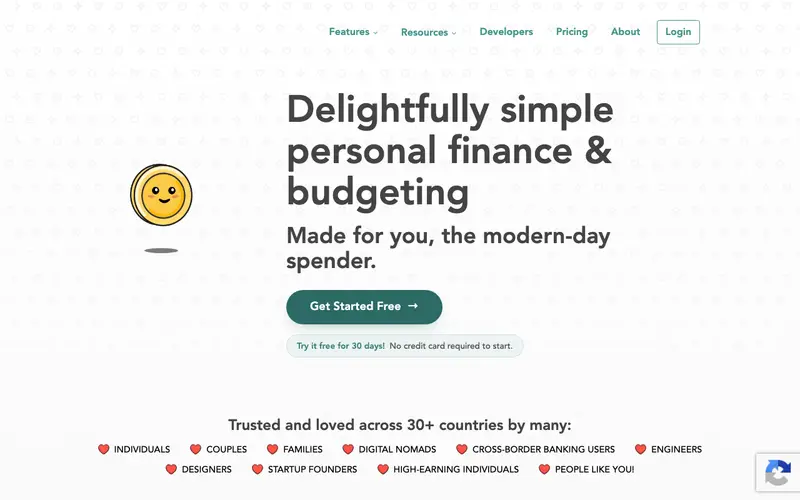
Lunch Money is a modern, privacy-focused personal finance web application created by a solo developer, Jen, designed to offer intuitive budgeting, net worth tracking, and expense management. It prioritizes user control and privacy, allowing users to connect bank accounts, manually import transactions, or even create recurring transactions for full financial oversight. The primary workflow involves linking financial institutions via a secure provider like Plaid, then categorizing transactions and setting up budgets using a flexible "zero-based" or traditional budgeting approach. It is primarily a web application, accessible from any browser, with a mobile-optimized interface. Its most used feature is its robust transaction tagging and filtering system, allowing for highly granular analysis of spending patterns. All data is end-to-end encrypted, and Lunch Money does not sell user data, storing it securely in the cloud and providing export options for personal backups.
Editorial check
How this page is checked
Source trail
lunchmoney.app
External links are separated from Surfaced commentary.
Reader safety
Context before clicks
Product links and external services are not presented as guarantees.
Monetization
No affiliate flag
Ads and commerce links are kept distinct from editorial text.
Surfaced take
Why It’s Useful
Lunch Money solves the problem of privacy concerns and clunky interfaces often found in older budgeting tools, offering a clean, user-friendly, and secure alternative. For the digital minimalist who values both aesthetics and data privacy, Lunch Money provides a beautiful interface without compromising on security or functionality. For a freelancer with irregular income, its flexible budgeting tools accommodate fluctuating earnings, allowing for proactive planning and adjustment. Lunch Money offers a 14-day free trial, after which a paid annual subscription is required, making it a premium service without a free tier for ongoing use. Compared to YNAB, Lunch Money offers similar zero-based budgeting flexibility but with a much more modern interface, stronger emphasis on privacy, and a more streamlined experience for managing multiple income streams. A power feature is the ability to create complex custom tags and reports, enabling deep insights into specific spending habits or project expenses. The learning curve is moderate; while the interface is intuitive, fully leveraging its advanced budgeting and tagging features might take a non-technical person about 20-30 minutes.
In everyday life
When you’d actually reach for this
You might check your budget for the week on a Sunday evening. When planning a group vacation, you could track shared expenses. Before heading out on annual leave, you'd want to see your overall financial picture.





Enjoyed this? Get five picks like this every morning.
Free daily newsletter — zero spam, unsubscribe anytime.