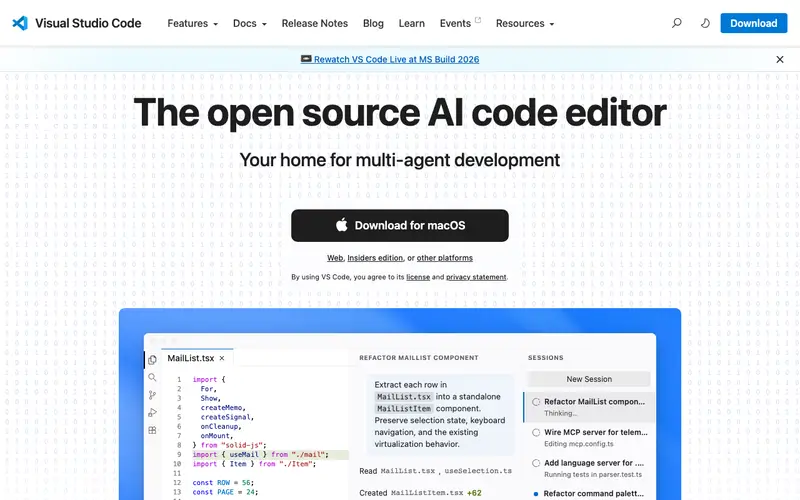
Visual Studio Code (VS Code) is a free, powerful, and versatile source-code editor developed by Microsoft. It supports a wide range of programming languages and offers intelligent code completion, debugging capabilities, and built-in Git control. Its extensive marketplace of extensions allows for customization to suit virtually any development workflow. VS Code is renowned for its performance, extensive feature set, and user-friendly interface, making it a top choice for developers of all skill levels.
Editorial check
How this page is checked
Source trail
code.visualstudio.com
External links are separated from Surfaced commentary.
Reader safety
Context before clicks
Product links and external services are not presented as guarantees.
Monetization
No affiliate flag
Ads and commerce links are kept distinct from editorial text.
Surfaced take
Why It’s Useful
VS Code is an indispensable tool for anyone involved in software development. Its intuitive interface, coupled with lightning-fast performance, makes coding a more efficient and enjoyable experience. The integrated debugger streamlines the process of finding and fixing errors, saving countless hours. The sheer volume and quality of extensions available, from language support and linters to Git integration and Docker management, mean you can tailor VS Code precisely to your needs. It's particularly useful for its seamless Git integration, allowing for easy version control directly within the editor. From beginners learning to code to seasoned professionals building complex applications, VS Code is a cornerstone of modern development.
In everyday life
When you’d actually reach for this
You might open VS Code to quickly edit a small configuration file for a home automation project. Or perhaps you're looking up that article you saved last week about a new JavaScript framework. It's also the go-to for tweaking your personal website's HTML.







Enjoyed this? Get five picks like this every morning.
Free daily newsletter — zero spam, unsubscribe anytime.