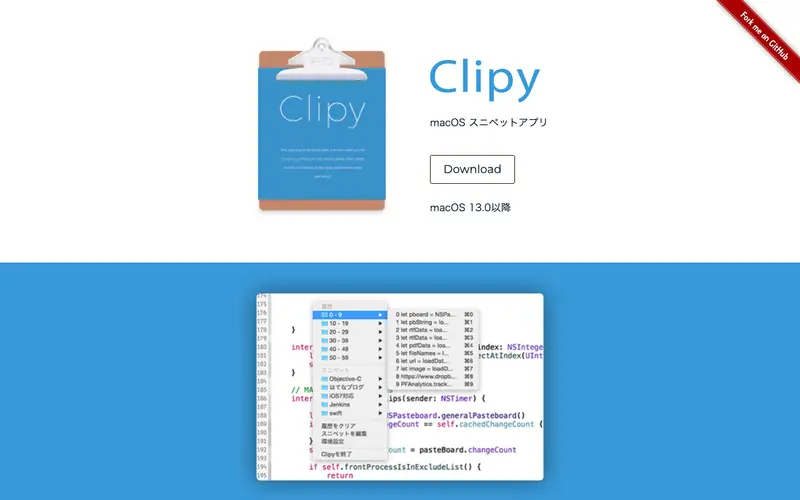
Clipy is an open-source clipboard extension for macOS, developed by multiple contributors from the GitHub community, designed to extend the system clipboard with a history of copied items, including text, images, and files. It supports a primary workflow where users copy content as usual, then access a historical list of clippings directly from the macOS menu bar to paste previous items. This lightweight utility functions exclusively on macOS, integrating seamlessly into the operating system's native interface. Its most convenient feature is the ability to create "Snippets," which are frequently used text blocks that can be quickly inserted from a dedicated menu. All clipboard history and snippet data are stored locally on your machine, ensuring privacy and rapid retrieval without cloud services.
Editorial check
How this page is checked
Source trail
clipy-app.com
External links are separated from Surfaced commentary.
Reader safety
Context before clicks
Product links and external services are not presented as guarantees.
Monetization
No affiliate flag
Ads and commerce links are kept distinct from editorial text.
Surfaced take
Why It’s Useful
Clipy solves the problem of repeatedly copying and pasting or losing previous clipboard content, significantly enhancing efficiency for anyone working with multiple pieces of information. For the marketing professional, Clipy provides instant access to brand taglines, product descriptions, or common calls-to-action stored as snippets, ensuring consistent messaging across platforms. For the student writing an essay, it allows easy management of quotes, citations, and specific terms, letting them focus on content rather than repetitive copying. Clipy is completely free and open-source, offering its full suite of features without any cost, making it an excellent and accessible tool for macOS users. Compared to the built-in macOS clipboard (Command+V), Clipy wins by adding robust history, snippets, and a clean menu bar interface, making it a much more functional tool. A power feature is the ability to set different histories for different types of content (e.g., text vs. images), providing better organization for complex workflows. A non-technical person can download, install, and start using Clipy's core history features in less than two minutes.







Enjoyed this? Get five picks like this every morning.
Free daily newsletter — zero spam, unsubscribe anytime.