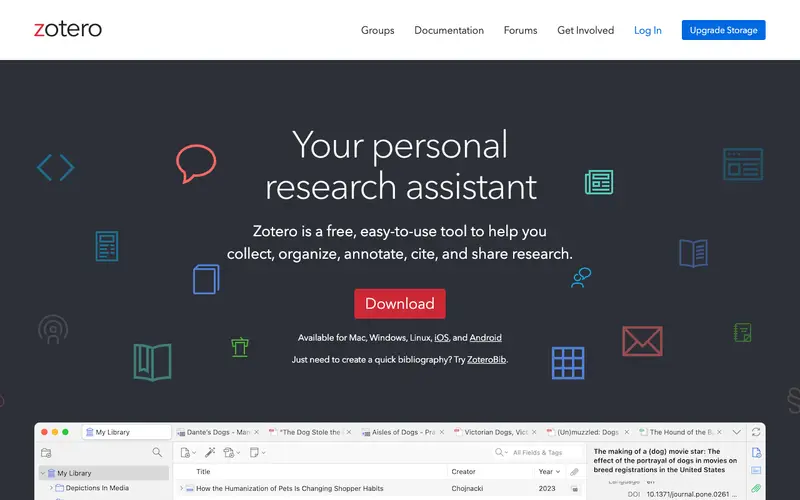
Zotero, a free and open-source project developed by the Roy Rosenzweig Center for History and New Media at George Mason University, is a powerful reference management tool for researchers and academics. It helps users collect, organize, cite, and share research sources, from journal articles and books to web pages and audio files. The primary workflow involves saving references directly from web browsers with a single click, then organizing them into collections, adding notes, and generating citations and bibliographies in various styles within word processors. It is available as a standalone desktop application for Windows, Mac, and Linux, with browser extensions for Chrome, Firefox, and Safari. Data is stored locally on your computer, but optional cloud synchronization and file storage are available through Zotero Sync, with limited free storage and paid plans for more.
Editorial check
How this page is checked
Source trail
zotero.org
External links are separated from Surfaced commentary.
Reader safety
Context before clicks
Product links and external services are not presented as guarantees.
Monetization
No affiliate flag
Ads and commerce links are kept distinct from editorial text.
Surfaced take
Why It’s Useful
Zotero eliminates the tedious and error-prone process of manual citation and bibliography creation, saving researchers countless hours. For a graduate student writing a thesis, it's essential for managing hundreds of sources, ensuring accurate citations and quickly generating a bibliography in the required style. A professional researcher can use it to maintain a comprehensive library of relevant literature, easily annotating PDFs and collaborating with colleagues on shared collections. Zotero is completely free and open-source, offering robust functionality without any paywalls, making its free tier genuinely useful for everyone. It outshines competitors like Mendeley by being fully open-source and offering more flexible PDF annotation tools directly within the app, providing greater control and privacy over one's research data. The "Group Libraries" feature is a power user favorite, enabling seamless collaboration on research projects. A non-technical person can easily install the app and browser extension, beginning to save and cite sources in under 5 minutes.







Enjoyed this? Get five picks like this every morning.
Free daily newsletter — zero spam, unsubscribe anytime.